
Translate information from packaging and prescription verbatim, separating active courses from completed courses and home medicine cabinet medications.
A worked example
In a teaching list, two similarly coloured packages turn out to be different formulations of a similarly named product. The writer does not combine them by appearance: they check full names, formulation, labelled strength and actual instructions. Each relevant item gets its own record; uncertainty becomes a question for a pharmacist. The result is a readable inventory, not a decision to take both formulations. A card count does not establish compatibility, and a purchase status is not proof of taking a dose.
What to do
- 01
Collect packages and current instructions.
- 02
Record the full name, formulation, strength and prescribed regimen.
- 03
Keep dates and special instructions in note text where needed.
- 04
Review cards and reminders after changes; do not assume an automatic course archive.
Common mistakes
- Write down only the color or common name of the tablet.
- Mix the prescribed dose with the dosage of the active substance.
- Keep the old course active after changing the assignment.
Make a card readable without the package
Vesometr has text fields for name, dosage, How I take it and notes, a Need to buy switch, reminder weekdays and times. Start and end dates are not separate fields in the 1.2.2 model; include them in text when required by the prescription. Do not expect an automatic completed-course archive or a dose-taking log. After instructions change, check card text and reminders separately. Deleting a card is not a way to preserve history; retain any necessary context separately before removal.
How to check the result
- Name, formulation and units are clear without package colour.
- Prescription text is distinct from notification times.
- Need to buy is not treated as a taken-dose mark.
For an ambiguous line, see recording dosage clearly.
How this works in Vesometr
Vesometr stores medicine name, dosage, How I take it text, notes, Need to buy status and reminder weekdays and times. It has no separate course dates or taken-dose marks.
Sources and fact checking
App features were checked against Vesometr 1.2.2. External sources explain general guidance, rather than validating individual medical conclusions.
- FDA — Use Medicines Wisely — Medicine lists, following directions and questions for a clinician or pharmacist.
- Vesometr 1.2.2 — Features checked against the Vesometr 1.2.2 release source.
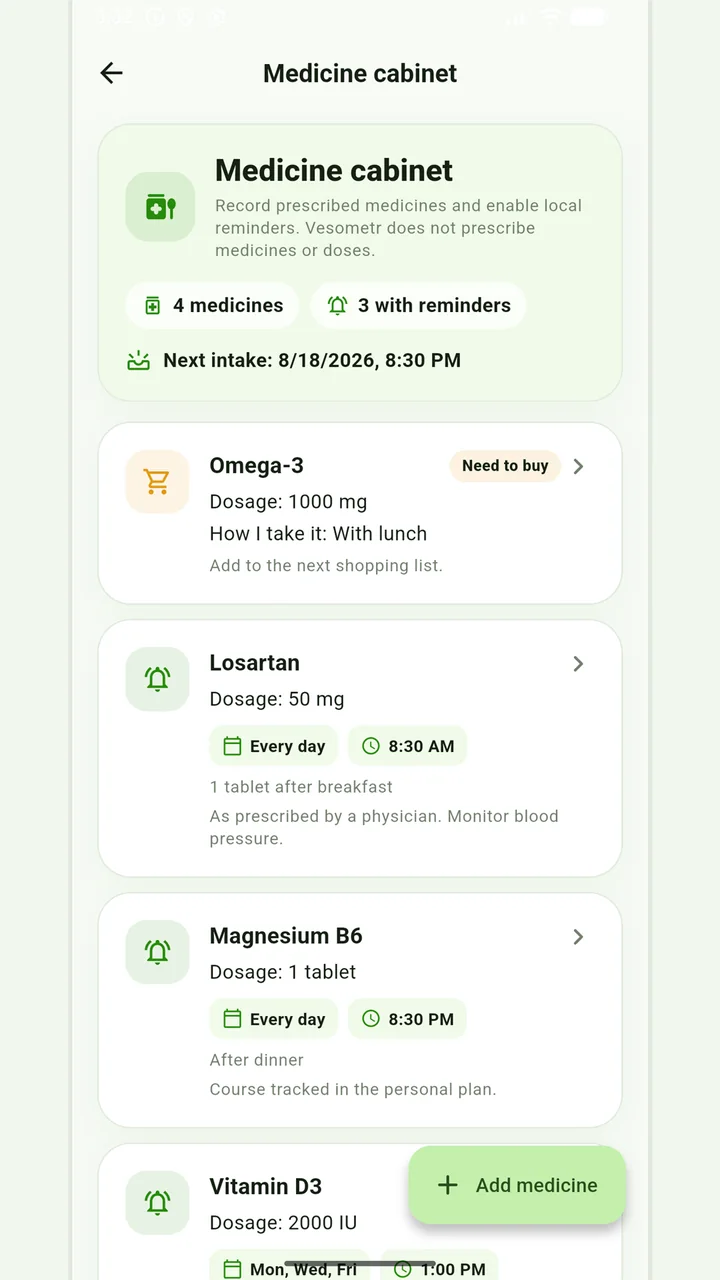
Medicine cabinet and schedule
Medication, doses, weekdays, multiple times and local reminders.
Do not change the dose, time, duration of the course and combination of drugs according to the article or the application prompt. If you miss a dose, have an unwanted reaction, or are in doubt, follow the instructions for the drug and check with your doctor or pharmacist.
Medical disclaimer