
Do not try to optimize the combinations yourself: the purpose of the list is to show the doctor the actual scheme and any ambiguities found.
A worked example
A teaching list includes a prescription product, a similar trade name and a supplement previously omitted. The writer keeps a separate row for each, states actual use and flags uncertainty. The whole list is submitted for review rather than an independently corrected combination. The outcome is visible questions for a clinician or pharmacist. Similar names and spacing between notifications do not establish compatibility or authorise removing an item.
What to do
- 01
Write each item on a separate line.
- 02
Add dose, time, food association, and prescriber if relevant.
- 03
Note duplicate or similar titles.
- 04
Give the list to your doctor or pharmacist for verification.
Common mistakes
- Combine medications by prescription into one line.
- Remove over-the-counter products and supplements from the list.
- Independently separate seemingly incompatible positions.
A list reveals questions, not interactions
Each row benefits from a full name, formulation, prescribed quantity, regimen and instruction source. Do not omit non-prescription products or supplements because they seem unimportant. If directions from different professionals conflict, retain both sources and request reconciliation. Vesometr can hold one card per product, with questions and context in notes. It does not automatically identify duplicate ingredients or interactions. Do not combine prescriptions according to your own compatibility assumptions or change intervals to fix a presumed conflict in the app. Organisation is not a clinical review.
How to check the result
- Each product actually used has its own row.
- Uncertainties are questions rather than altered prescriptions.
- Compatibility is not inferred from notification spacing.
Before an appointment, prepare a complete medicine list for the clinician.
How this works in Vesometr
Vesometr keeps separate medicine cards and notes but does not check interactions, duplicate ingredients or actual intake.
Sources and fact checking
App features were checked against Vesometr 1.2.2. External sources explain general guidance, rather than validating individual medical conclusions.
- FDA — Use Medicines Wisely — Medicine lists, following directions and questions for a clinician or pharmacist.
- Vesometr 1.2.2 — Features checked against the Vesometr 1.2.2 release source.
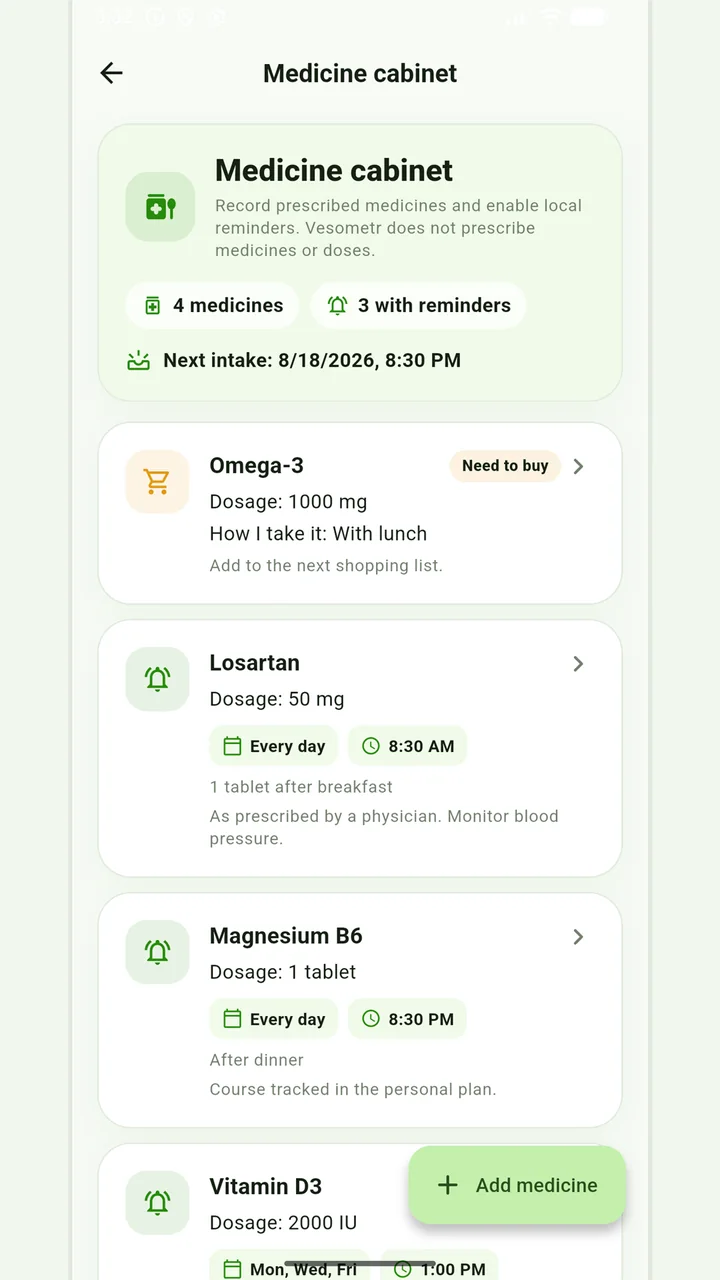
Medicine cabinet and schedule
Medication, doses, weekdays, multiple times and local reminders.
Do not change the dose, time, duration of the course and combination of drugs according to the article or the application prompt. If you miss a dose, have an unwanted reaction, or are in doubt, follow the instructions for the drug and check with your doctor or pharmacist.
Medical disclaimer