
Prepare medications separately from the PDF: name, formulation, prescribed dose, actual use and questions. Do not change treatment just to match a card.
A worked example
Worked example: someone opens a Vesometr PDF before an appointment and cannot find medications despite a completed medicine cabinet. This is expected in version 1.2.2 because those cards are not exported into that document. They prepare a separate list of names, formulations, prescribed doses and actual use, noting questions and differences. They compare it with packaging and medical instructions. Reminders are not used as proof of taking a medicine, and a textual course ending is not assumed to stop alerts automatically. The PDF remains a blood-pressure record, accompanied by the separate list.
What to do
- 01
Check names and recorded doses against current instructions and packaging.
- 02
Record actual use and questions about differences separately.
- 03
Prepare the list outside the Vesometr PDF: the medicine cabinet is not exported.
- 04
Review reminders separately because course text does not automatically stop them.
Common mistakes
- Expecting a medication section in the version 1.2.2 PDF.
- Treating a saved card or alert as proof of a dose taken.
- Changing prescribed treatment because of an app entry.
The medicine cabinet helps review a separate list
A saved card shows user-entered information rather than confirming a prescription or every dose taken. Before an appointment, compare the recorded name and schedule with current instructions; turn uncertainties or differences in actual use into questions for the clinician. Include relevant non-prescription medicines and supplements if you take them. The app's course or schedule field is text and does not automatically end reminders. Do not change treatment simply to match a card. Show the separate list alongside the PDF; sharing the restoration JSON is not necessary for this purpose.
How to check the result
- The list is prepared separately from the PDF.
- Names and schedules are checked against current instructions.
- Differences in actual use are noted as questions.
- A reminder is not treated as proof of taking a dose.
Include the separate list in your appointment preparation.
How this works in Vesometr
The 1.2.2 medicine cabinet stores entered information and reminder settings. Those cards are not included in PDF; consultation details are prepared separately.
Sources and fact checking
App features were checked against Vesometr 1.2.2. External sources explain general guidance, rather than validating individual medical conclusions.
- Vesometr: official release — Application version and official download channel.
- NHS: questions for a healthcare professional — Preparing questions, symptom notes and a separate list of medicines before an appointment.
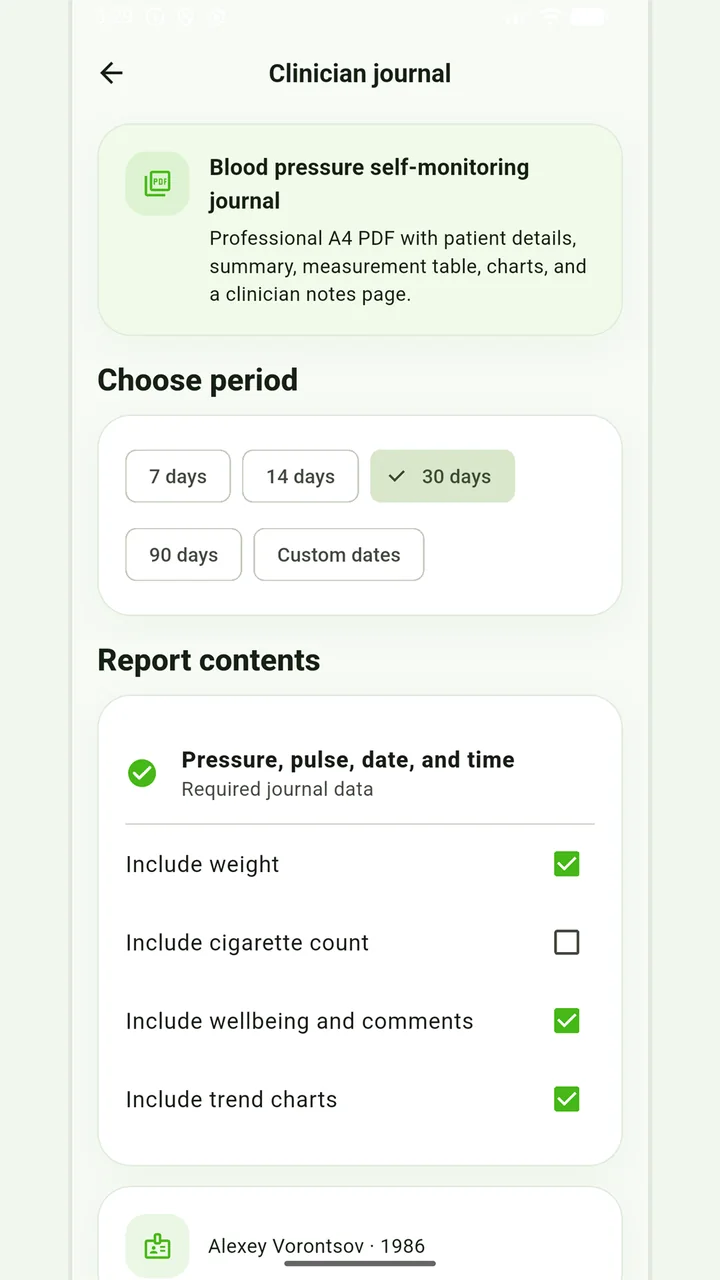
Blood-pressure PDF
A pressure and pulse journal, with optional weight and smoking information for the recorded days.
Don’t put off applying in order to accumulate the perfect report. If it is an emergency, report symptoms and follow directions from your healthcare provider; the diary can be shown later.
Medical disclaimer