
Write a short summary separate from the larger report and note the dates the doctor should address first.
A worked example
Worked example: before an appointment, someone plans to show a whole year of entries but cannot explain the main concern quickly. They write a brief summary of what they noticed, when it began and which questions they want to discuss. They create a blood-pressure PDF for an appropriate period and bring medicines, supplements and important notes separately. During the appointment they start with the summary, then open relevant dates. This is a way to organize the conversation, rather than diagnose a condition or choose treatment from a chart.
What to do
- 01
Write down the main reason for contacting.
- 02
Update your list of medications and allergies.
- 03
Select a few key dates and a relevant period.
- 04
Prepare three specific questions.
Common mistakes
- Hoping that the doctor himself will find the main thing in a long file.
- Alter earlier entries to support the answer you hope to hear.
- Forgetting to communicate acute symptoms verbally.
Provide a short introduction to the detailed history
A clinician can navigate source records more easily when the reason for the appointment is clear. Separate measured or noticed facts from your explanation of their cause. Include when changes began, relevant circumstances and the journal's limitations: gaps, another device or entries added later from memory. Prepare current medicines separately from the Vesometr PDF because medications are not included. Write down the main questions and leave room for answers. If a situation requires help before the planned visit, waiting to prepare a perfect report should not delay seeking care.
How to check the result
- The reason for the appointment is stated briefly.
- Important dates can be opened quickly.
- The medication list is prepared separately.
- Gaps and uncertainties are not hidden.
Turn observations into a useful discussion by preparing questions for your clinician.
How this works in Vesometr
Calendar and PDF Vesometr help you quickly access primary records while maintaining the user's role in explaining the context.
Sources and fact checking
App features were checked against Vesometr 1.2.2. External sources explain general guidance, rather than validating individual medical conclusions.
- Vesometr: official release — Application version and official download channel.
- NHS: questions for a healthcare professional — Preparing questions, symptom notes and a separate list of medicines before an appointment.
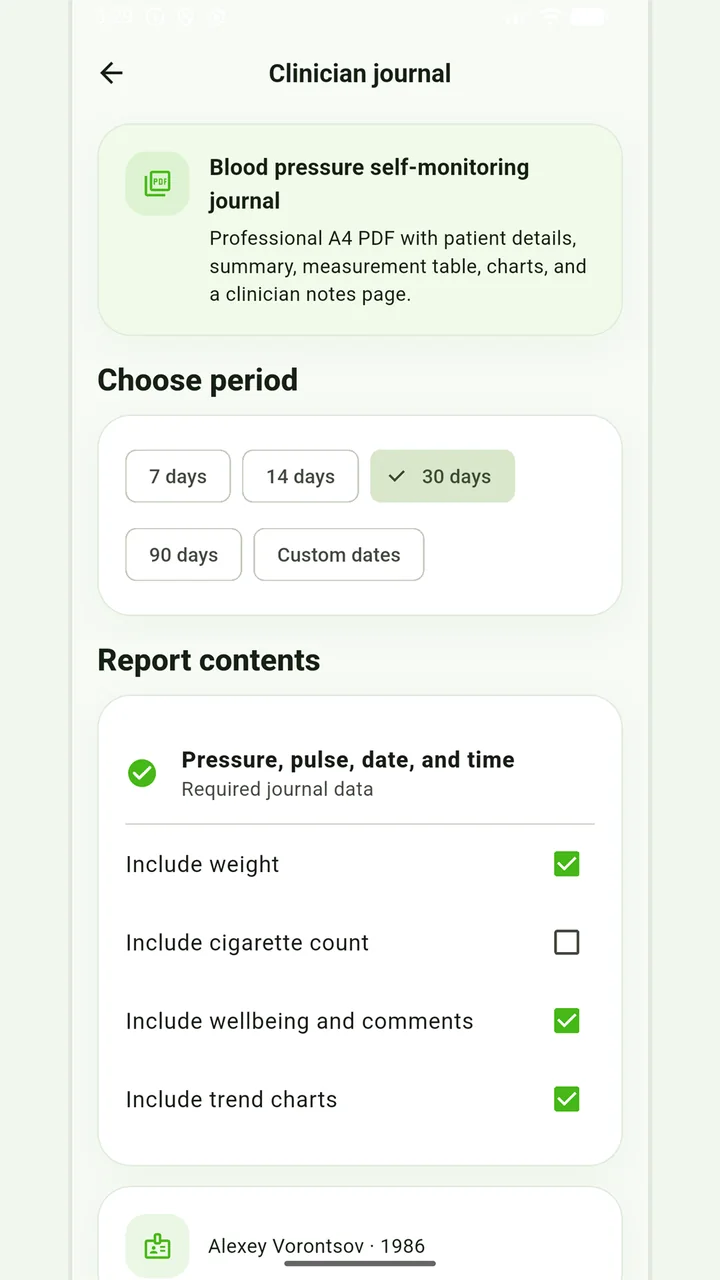
Blood-pressure PDF
A pressure and pulse journal, with optional weight and smoking information for the recorded days.
Don’t put off applying in order to accumulate the perfect report. If it is an emergency, report symptoms and follow directions from your healthcare provider; the diary can be shown later.
Medical disclaimer