
Keep prescribed duration as text. Vesometr 1.2.2 has no separate course end date: repeating reminders and the medical decision to finish treatment are different things.
A worked example
In a teaching card, the prescribed duration is written in notes. The user expects signals to disappear after that date, but finds only weekdays and times in settings, with no end-date field. They compare the plan with the instructions and manage reminders separately according to already clarified directions. The example corrects an expectation about software. It does not advise ending treatment because a signal stopped, a package remains or an unclear duration was calculated.
What to do
- 01
Find clear start and duration instructions in the prescription.
- 02
Ask a clinician or pharmacist if they are uncertain.
- 03
Keep dates or duration as text in the regimen or notes.
- 04
Review the card and repeating signals separately after prescription changes.
Common mistakes
- Count from the purchase date instead of the first dose.
- Extend the course due to the remaining tablets.
- Discontinue continuous therapy after a formal number of days.
Written duration does not stop a repeating signal
The Vesometr 1.2.2 medicine model has no separate start date, day count or course end date. It has How I take it text, notes and weekday-based repeating reminders. Duration can be retained as text for checking, but the software does not make it an automatic stop. After instructions change, review both wording and reminder switches. Do not use purchase date as first-dose date or extend treatment because supplies remain. Clarify uncertain duration or stopping conditions with a clinician or pharmacist before changing the medical plan.
How to check the result
- Duration comes from clear instructions, not purchase date.
- Repeating reminders are reviewed separately from written course duration.
- Text and signals are reviewed separately after changes.
For transferring the instructions, see the medicine schedule guide.
How this works in Vesometr
Vesometr medicine cards contain regimen text, notes, reminder weekdays and times. They have no separate course dates, day counter or automatic course completion.
Sources and fact checking
App features were checked against Vesometr 1.2.2. External sources explain general guidance, rather than validating individual medical conclusions.
- FDA — Use Medicines Wisely — Medicine lists, following directions and questions for a clinician or pharmacist.
- Vesometr 1.2.2 — Features checked against the Vesometr 1.2.2 release source.
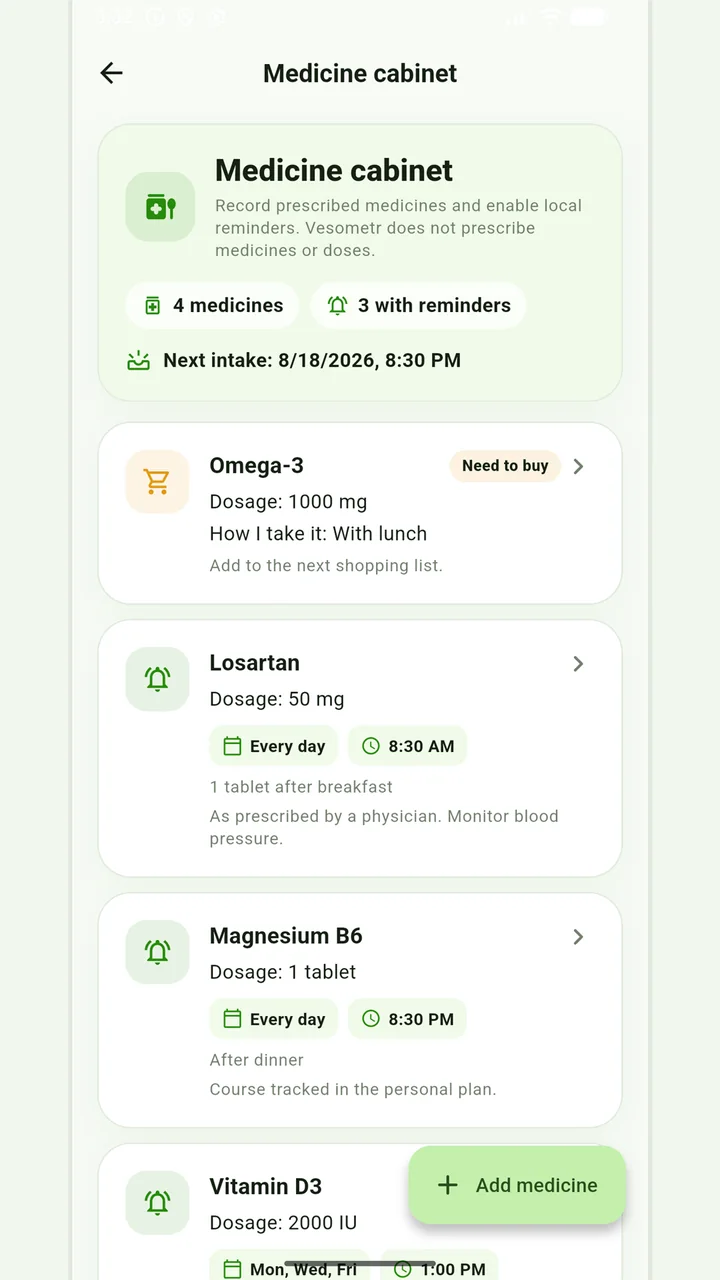
Medicine cabinet and schedule
Medication, doses, weekdays, multiple times and local reminders.
Do not change the dose, time, duration of the course and combination of drugs according to the article or the application prompt. If you miss a dose, have an unwanted reaction, or are in doubt, follow the instructions for the drug and check with your doctor or pharmacist.
Medical disclaimer