
Select the period and check patient details. The 1.2.2 PDF contains blood pressure with pulse and supported optional data, but excludes medications, meals and the free-form diary.
A worked example
Worked example: a user wants to show a clinician their recent blood-pressure readings. In report settings they select the relevant dates, check patient details and keep only useful optional information. After generating the PDF, they open it and find the first and last readings in the period. They prepare medications separately because the medicine cabinet is not exported into the version 1.2.2 PDF. They do not expect a weight-only day to create a blood-pressure table row. Before sharing, they check the recipient and retain the source entries without treating PDF as a backup.
What to do
- 01
Open PDF blood-pressure journal creation in settings.
- 02
Select the period, check patient details and optional parameters.
- 03
Generate the PDF and compare several rows with blood-pressure entries.
- 04
Prepare medicines and other needed context separately, then check the recipient.
Common mistakes
- Send a file without opening it.
- Include the entire archive unnecessarily.
- Consider the PDF as an official medical record.
Compare the finished document with source readings
The PDF is generated locally from blood-pressure entries with pulse; weight and smoking can be added for the corresponding day. Wellbeing and comments belong to the individual blood-pressure entry. Meals, medications and free-form diary entries are not included in this version's report. Before sharing, compare several rows with the calendar and check the period boundaries and patient details. Optional charts do not turn observations into a diagnosis. If a source entry changes, generate the PDF again because a saved document will not update. Use JSON for restoring the database and the checked PDF for reading and discussion.

How to check the result
- The period and patient details are correct.
- Several rows match the source blood-pressure entries.
- Any needed sections outside the PDF are prepared separately.
- A new PDF is generated after corrections.
For a separate list, follow the guide to preparing medications alongside the PDF.
How this works in Vesometr
Vesometr generates the PDF locally from blood-pressure entries; optional weight and smoking are matched by day. It is a readable document rather than a database backup.
Sources and fact checking
App features were checked against Vesometr 1.2.2. External sources explain general guidance, rather than validating individual medical conclusions.
- Vesometr: official release — Application version and official download channel.
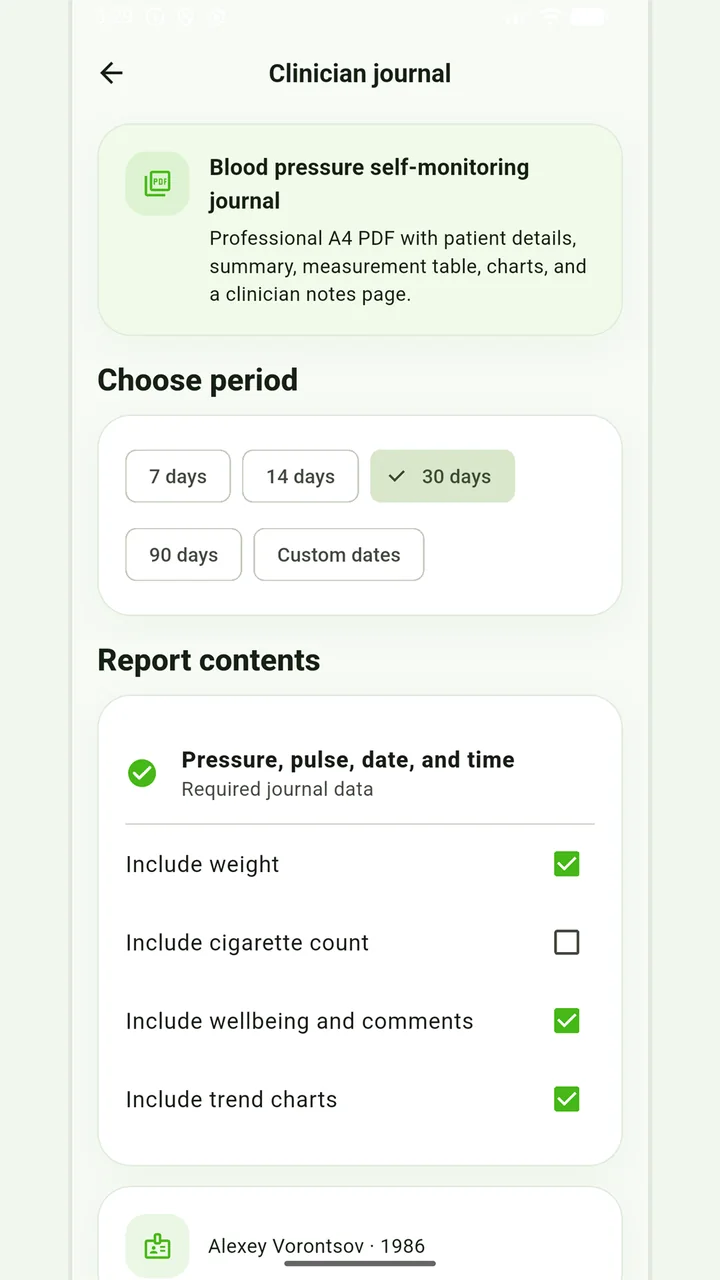
Blood-pressure PDF
A pressure and pulse journal, with optional weight and smoking information for the recorded days.
Don’t put off applying in order to accumulate the perfect report. If it is an emergency, report symptoms and follow directions from your healthcare provider; the diary can be shown later.
Medical disclaimer