
Use a recognisable household measure and distinguish food served from food eaten. This is a description, not an exact weight.
A worked example
Worked example, using fictional meals. Monday says “soup, one usual bowl”; Tuesday says “soup, half of the same bowl; no second helping”. The difference is understandable without scales. But “bowl” does not establish weight, and identical dishes do not guarantee identical ingredients. If half the food was left, distinguish what was eaten. The result is a rough household comparison of portions. Multiplying it by an internet calorie value and presenting the result as an exact calculation would create false precision.
What to do
- 01
Determine your sustainable household units.
- 02
Record the size of the cookware once if necessary.
- 03
Describe the additive in a separate part.
- 04
Use the same approach when repeating the dish.
Common mistakes
- Mix mass and volume without units.
- Change the rating retroactively.
- Create false precision down to the gram.
Add measurement detail only where needed
A repeatable description is more useful than a different measuring system every day. For home meals, use familiar dishes and describe second helpings or leftovers separately. At a café, identify a menu weight as the menu’s information if you did not measure it yourself. Do not automatically convert “large portion” into grams: meaning varies by person and food. If a professional needs a quantitative food diary, agree the units and measuring method first. A Vesometr food entry remains text; it cannot verify weight, ingredients or estimation accuracy, and it does not prescribe a suitable portion size.
How to check the result
- The description distinguishes served and eaten amounts.
- Second helpings and leftovers are included.
- Repeated foods use a recognisable measure.
- An estimate is not described as exact weight or calories.
If detail interferes with regular recording, return to a simple food-diary format and retain only information serving your question.
How this works in Vesometr
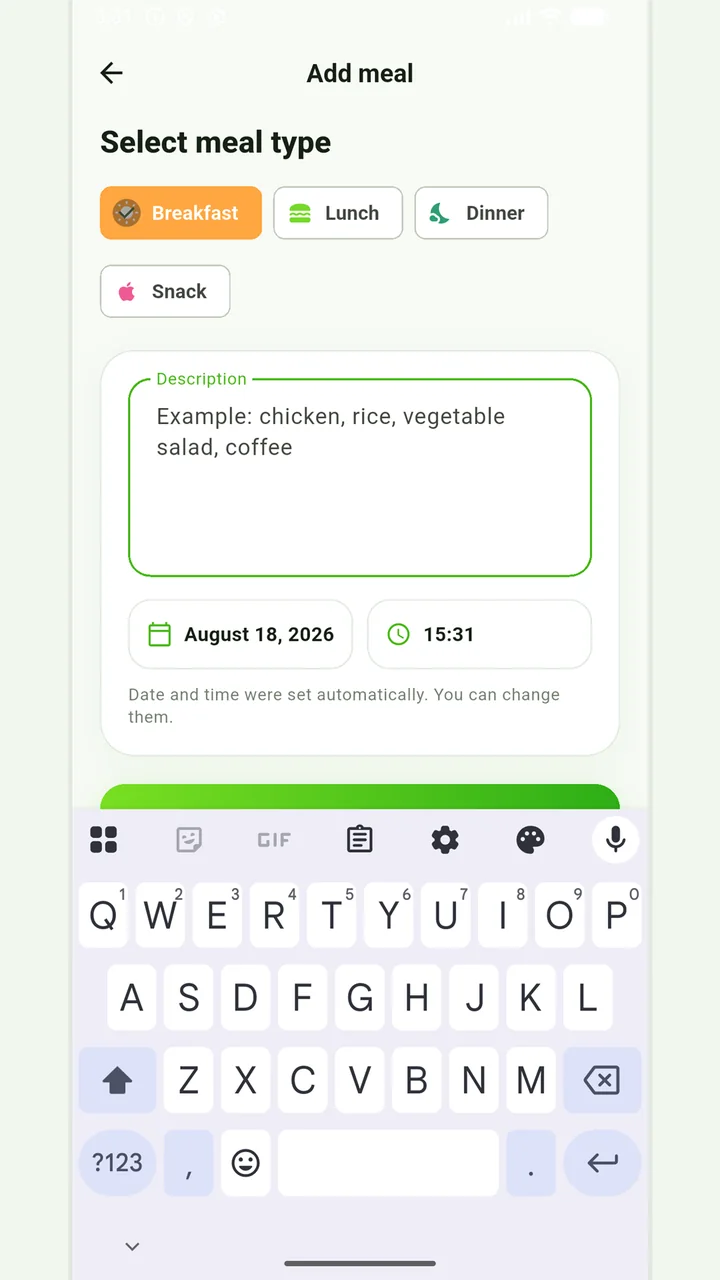
Portion descriptions can be typed into the food-entry text. Vesometr does not convert bowls, spoons or photographs into grams, calories or nutrient totals.
Sources and fact checking
App features were checked against Vesometr 1.2.2. External sources explain general guidance, rather than validating individual medical conclusions.
- Vesometr 1.2.2: official APK — Identifies the release; food-entry fields were also checked against its source code.
Simple meal journal
Breakfast, lunch, dinner or snack with a description, date and time.
In case of eating disorders, severe dietary restrictions, allergic reactions or a therapeutic diet, it is better to coordinate the observation plan with a specialist.
Medical disclaimer