
Keep the format down to time, main cast, and context so that the diary doesn't interfere with the trip itself.
A worked example
Worked example, using fictional travel. A traveller eats breakfast at home at 08:00 and lunch after arrival at 14:00 local time. The lunch description says “local time; flight day”, rather than calculating a gap directly from the displayed clocks. It records “sandwich and tea; ingredients uncertain”. The result preserves events and uncertainty instead of inventing a six-hour interval. A separately taken package photograph does not automatically attach to the entry and will not be restored from the app’s JSON backup.
What to do
- 01
Select a minimum set of fields in advance.
- 02
Use the packaging photo only as a personal reference outside of the application if it is safe to do so.
- 03
Note long journeys and time zone changes.
- 04
After returning, continue with the normal format without filling in from memory.
Common mistakes
- Spend a lot of time searching exactly for each recipe.
- Consider a pass as proof of bad regime.
- Compare a road week with a regular week without reservation.
Reduce detail while preserving the meaning of time
Choose a travel minimum in advance: event type, main food and a time explanation. During time-zone changes, do not adjust old timestamps by guesswork; add local time in text if needed to reconstruct the sequence later. If recalling a meal in the evening, give a range rather than an exact minute. There is no need to research an unknown recipe. Photos outside the app can prompt memory, but require separate storage and do not replace text. After returning, resume your normal format and identify travel as different circumstances when comparing weeks.
How to check the result
- Entries identify local time or a time-zone change.
- Unknown ingredients remain unknown.
- Photos are not described as Vesometr attachments.
- Travel is identified when comparing with ordinary days.
After returning, use a minimal sustainable food-diary format rather than completing gaps with invented details.
How this works in Vesometr
Travel food entries use the same type, description, date and time fields. Food entries do not accept photo attachments; keep any personal photos separately from the Vesometr database.
Sources and fact checking
App features were checked against Vesometr 1.2.2. External sources explain general guidance, rather than validating individual medical conclusions.
- Vesometr 1.2.2: official APK — Identifies the release; fields and export limits were also checked against its source code.
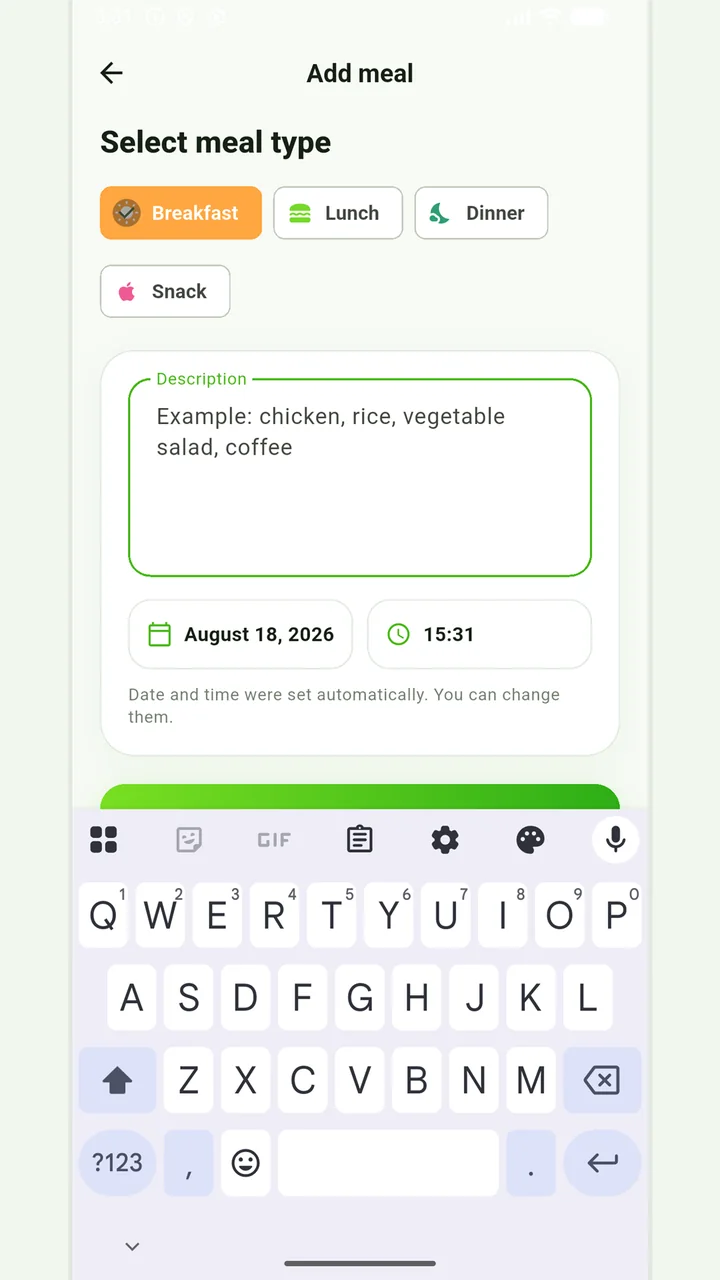
Simple meal journal
Breakfast, lunch, dinner or snack with a description, date and time.
In case of eating disorders, severe dietary restrictions, allergic reactions or a therapeutic diet, it is better to coordinate the observation plan with a specialist.
Medical disclaimer