
Before sending, check the service rules and make sure that the recipient is actually participating in your consultation.
A worked example
Worked example: before a remote consultation, a user is asked to send their journal to an unfamiliar chat. Instead of sending immediately, they verify the channel through the clinic's official contact. They ask whether PDF is accepted, which period is needed and how to provide a separate medication list. They open the saved report in advance so they can find a date quickly during the call. They do not send the full JSON because it is excessive for discussion and intended for restoration. Questions remain accessible outside the video window.
What to do
- 01
Agree the format and period with the clinic.
- 02
Check the file name and content of the PDF.
- 03
Use a secure channel provided by the medical organization.
- 04
Save a list of questions for video calling or chat.
Common mistakes
- Send a document to a random messenger.
- Publish a link without restricting access.
- Consider the lack of response as a medical opinion.
Agree the channel before sharing records
Being able to create a file does not make every platform suitable for sharing it or establish that remote consultation is sufficient for your situation. Follow the chosen healthcare organization's procedures and ask about the appointment's limitations. Before the session, check document access, page readability and your ability to name relevant dates without a long search. Vesometr's PDF excludes medications, meals and the free-form diary, so prepare important context separately. Do not assume the clinician can see your phone or receives later changes automatically. After corrections, send a new document through the agreed channel.
How to check the result
- The channel is verified with the healthcare organization.
- The format and period are agreed.
- The PDF opens before the conversation starts.
- Additional context and questions are prepared separately.
Before attaching the file, review safe PDF sharing.
How this works in Vesometr
Vesometr creates a local file; further confidentiality depends on the selected telemedicine channel.
Sources and fact checking
App features were checked against Vesometr 1.2.2. External sources explain general guidance, rather than validating individual medical conclusions.
- Vesometr: official release — Application version and official download channel.
- NHS: questions for a healthcare professional — Preparing questions, symptom notes and a separate list of medicines before an appointment.
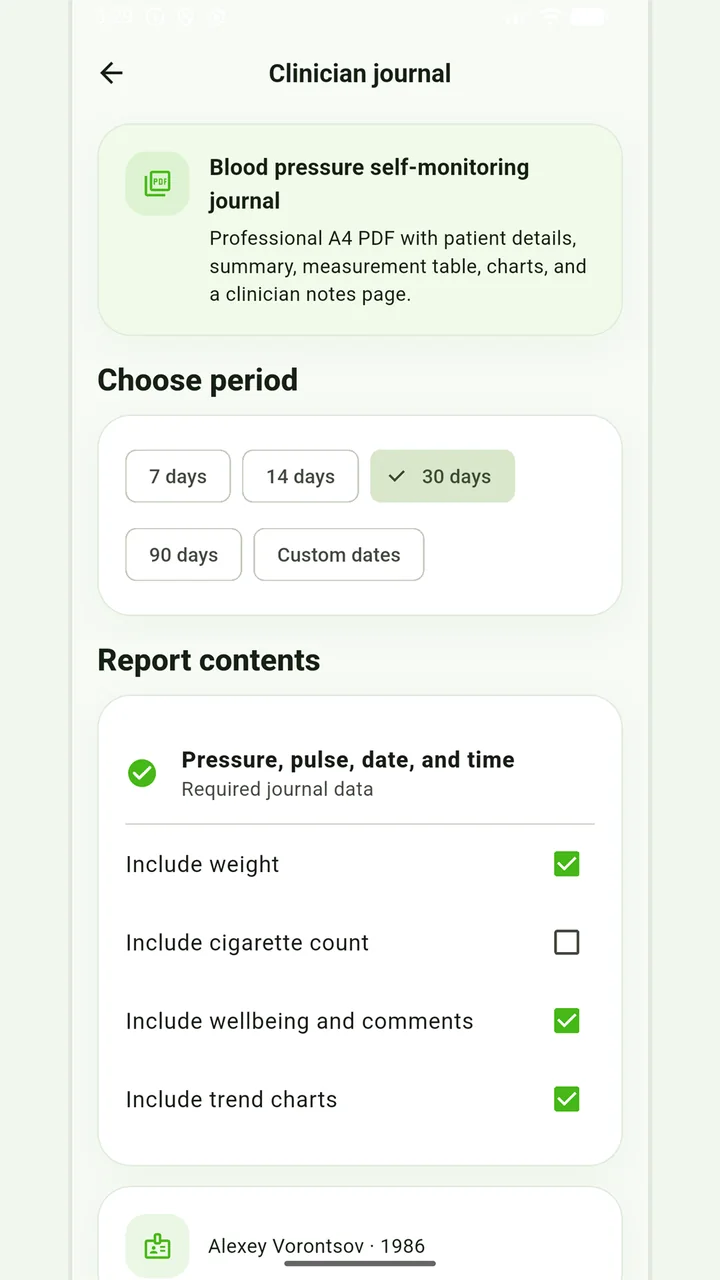
Blood-pressure PDF
A pressure and pulse journal, with optional weight and smoking information for the recorded days.
Don’t put off applying in order to accumulate the perfect report. If it is an emergency, report symptoms and follow directions from your healthcare provider; the diary can be shown later.
Medical disclaimer