
Select the period associated with the consultation question, check the units, and note the onset of symptoms, regimen changes, or prescriptions.
A worked example
Suppose a month contains eight weight readings, a scale change and a week without entries. Prepare a short appointment summary with the period, observation count, device-change date and main question. Inspect relevant calendar dates. If using Vesometr’s PDF, check its contents: it is a blood pressure journal, with weight attached to blood pressure dates. Show missing weight dates separately when needed. Do not send a full JSON backup instead of a targeted report.
What to do
- 01
State the main question for the appointment.
- 02
Choose the relevant period and check actual observation dates.
- 03
Identify device changes, gaps and measurement conditions.
- 04
Prepare a summary; if using the pressure PDF, check which weight dates are actually included.
Common mistakes
- Transfer the entire archive without checking sensitive notes.
- Edit inconvenient values for a beautiful line.
- Consider the report as a substitute for a description of how you feel.
What the document actually contains
In version 1.2.2, PDF rows are built around blood pressure and pulse records. Weight can be an additional daily metric, but this is not a separate complete export of every weight entry. Free diary notes are not automatically included either. Decide which history is needed, open the generated file and compare dates with the calendar. Prepare a concise separate summary for missing information. JSON restores data and may disclose more than an appointment requires. After generating the document, check the intended recipient as well as the contents.
How to check the result
- The summary states its period and observation count.
- Scale changes and gaps remain visible.
- Required dates have been checked in the opened PDF.
Before sharing, use the diary quality checklist to make its limitations clear.
How this works in Vesometr
Vesometr adds daily weight to its blood pressure PDF. Check the required dates and prepare a separate weight history or free diary notes when needed.
Sources and fact checking
App features were checked against Vesometr 1.2.2. External sources explain general guidance, rather than validating individual medical conclusions.
- NHS England — How to record your weight — Repeatable weighing conditions; this source does not determine an individual target.
- Vesometr 1.2.2 — Features checked against the Vesometr 1.2.2 release source.
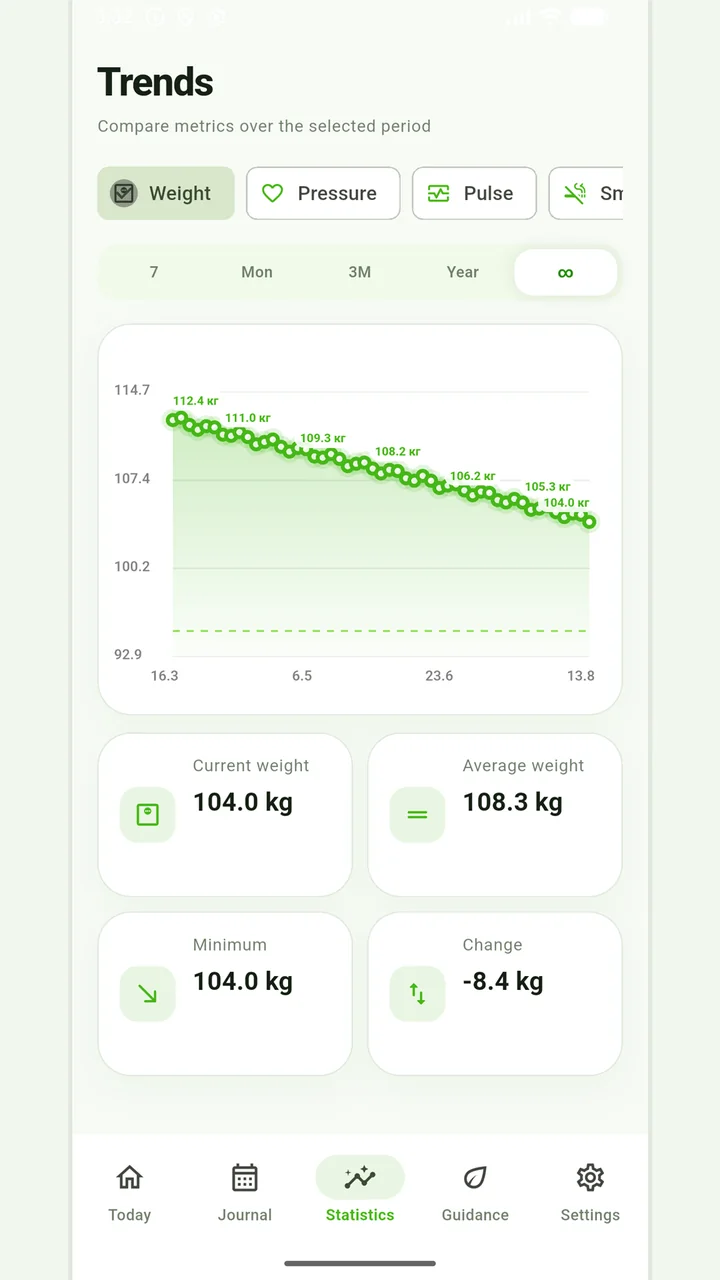
Weight trends
Charts, a target and period comparisons without judging progress by one number.
Don't use weight changes as the only way to assess your health. Unexplained rapid weight changes, severe swelling, weakness or other worrying symptoms should be discussed with your doctor.
Medical disclaimer