
First create a fresh local copy, then restore it to a new device and manually confirm Android permissions.
A worked example
During a teaching move, medicine cards appear on the new phone but the first expected signal does not arrive. The user does not judge data import solely by that event: they check names, dosage text, the reminder switch, weekdays and times, then Android permission and delivery separately. The old device and original backup are retained until verification finishes. The outcome is checked data plus separately tested notifications. A test signal is not an extra dose or proof that earlier doses were taken.
What to do
- 01
Make a backup on your old phone.
- 02
Transfer the file securely and import it on the new one.
- 03
Open the first aid kit and check the active cards.
- 04
Allow notifications and wait for the next scheduled signal.
Common mistakes
- Remove the old device before checking the copy.
- Consider Android permissions to be carried internally by JSON.
- Keep a single copy in your downloads folder.
Restored data and system permissions are independent
JSON can transfer supported cards and settings, but notification permission must be checked on the new Android device. Compare several real items against the old phone, including disabled reminders and less frequent weekdays. Do not reconstruct missing information over your only backup from memory. Use one clear test event and remove the extra afterwards. If data or delivery differ, retain the source file and problem description before reinstalling. Neither import nor a signal restores actual intake history: medicine cards do not automatically track doses taken.
How to check the result
- Cards are compared with the old device or source records.
- Permission and delivery are checked separately from import.
- The old backup is retained until acceptance checks finish.
For the complete process, see moving Vesometr to a new phone and checking every section.
How this works in Vesometr
Vesometr recovers supported data from JSON, but notification behavior also depends on the settings of the new device.
Sources and fact checking
App features were checked against Vesometr 1.2.2. External sources explain general guidance, rather than validating individual medical conclusions.
- Vesometr 1.2.2 — Features checked against the Vesometr 1.2.2 release source.
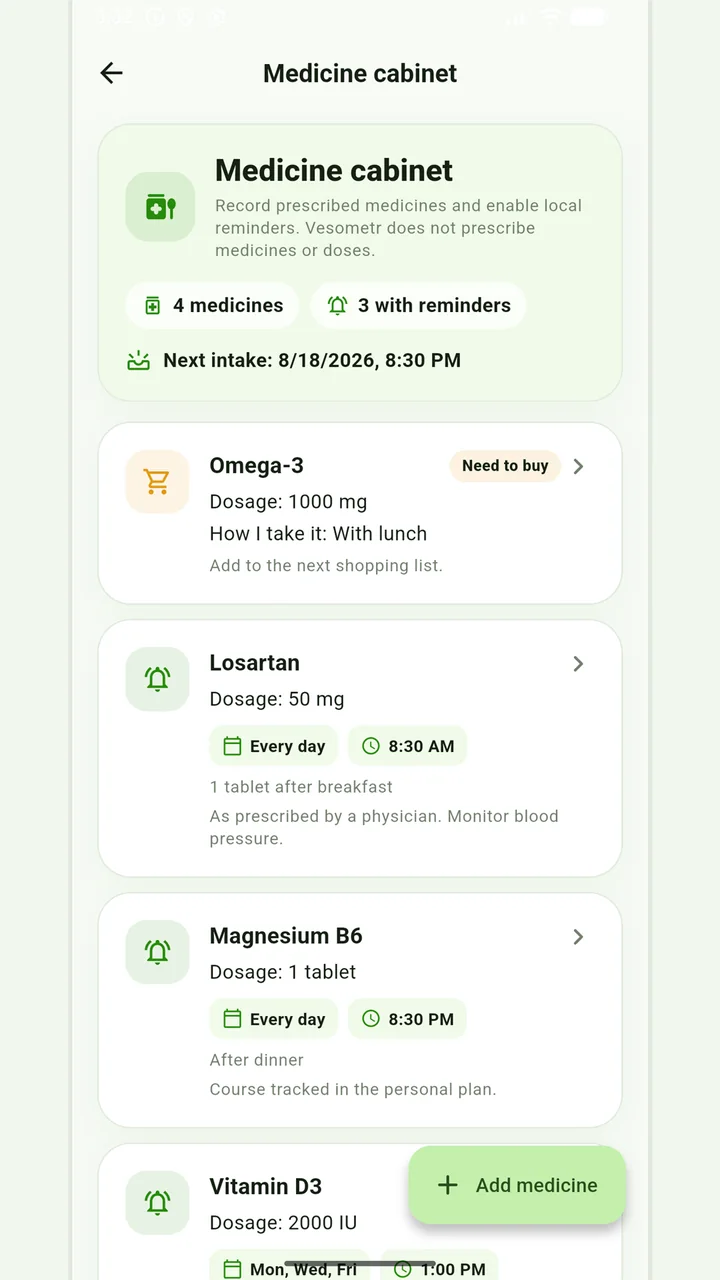
Medicine cabinet and schedule
Medication, doses, weekdays, multiple times and local reminders.
Do not change the dose, time, duration of the course and combination of drugs according to the article or the application prompt. If you miss a dose, have an unwanted reaction, or are in doubt, follow the instructions for the drug and check with your doctor or pharmacist.
Medical disclaimer