
Start with the prescribed times. Check Android notification permission, sound and battery restrictions.
A worked example
For a teaching test, a user chooses one near-term test time, checks the weekday and Android permission. A signal arrives, and the lock screen shows the name and dosage text from the card. This confirms notification delivery only under the tested conditions. Remove the extra test time afterwards without taking an additional dose because of the signal. If it fails, do not create several duplicate cards; first identify which configuration step did not work.
What to do
- 01
Allow notifications for an app in Android.
- 02
Set up one medicine and wait for the test time.
- 03
Check the name and dose on the card.
- 04
Add remaining positions gradually, eliminating duplicates.
Common mistakes
- Create many identical reminders.
- Treat a reminder as proof that the medicine was taken.
- Ignore system background restrictions.
Check delivery and personal information visibility
A Vesometr card has a reminder switch, selected weekdays and multiple times. Android separately controls notification permission and application restrictions. Medicine name and dosage text are used in the notification body, so inspect lock-screen content settings. A test is a technical event and must not change prescribed intake. No signal does not cancel the prescription; an arriving signal does not prove the medicine was taken. Recheck after moving devices or significant system changes, retaining one understandable schedule rather than many copied cards.
How to check the result
- Selected weekdays and times match the checked card.
- Delivery is tested without an additional dose.
- Lock-screen visibility of name and dosage is acceptable.
If a signal is missing, follow the Android notification checks in order.
How this works in Vesometr
Vesometr schedules local notifications on the device and does not send the schedule to the server.
Sources and fact checking
App features were checked against Vesometr 1.2.2. External sources explain general guidance, rather than validating individual medical conclusions.
- Vesometr 1.2.2 — Features checked against the Vesometr 1.2.2 release source.
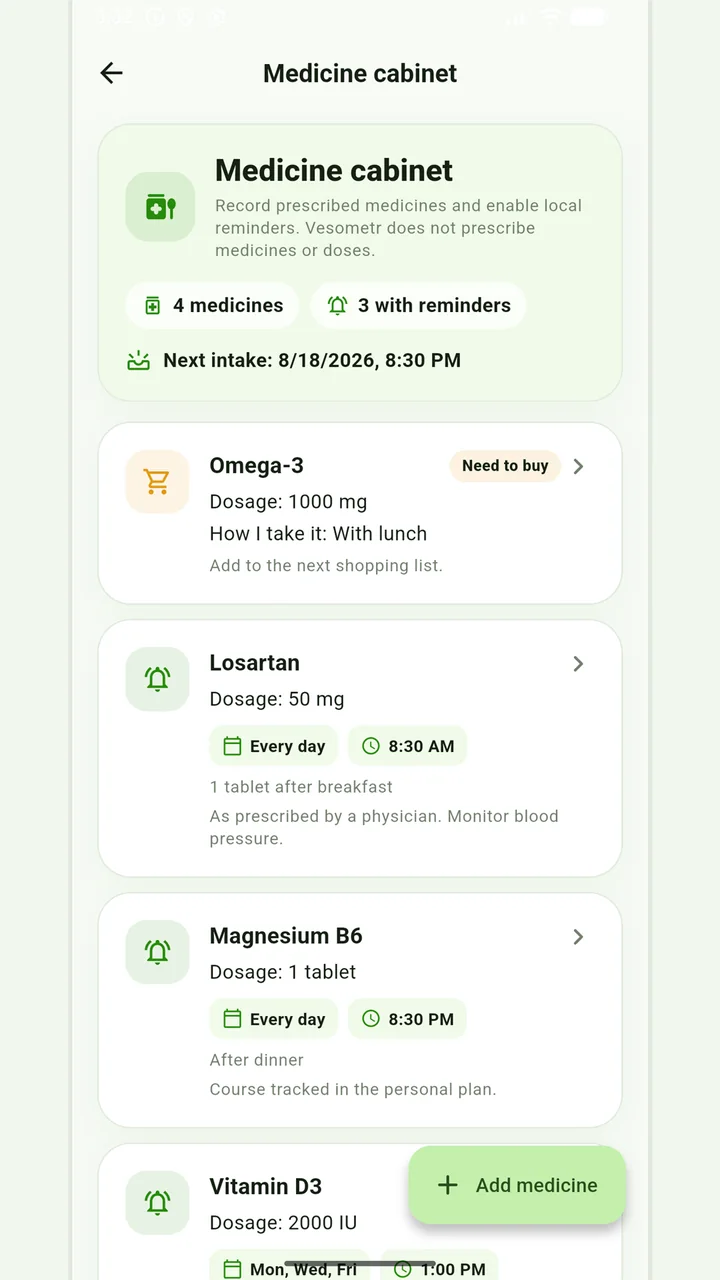
Medicine cabinet and schedule
Medication, doses, weekdays, multiple times and local reminders.
Do not change the dose, time, duration of the course and combination of drugs according to the article or the application prompt. If you miss a dose, have an unwanted reaction, or are in doubt, follow the instructions for the drug and check with your doctor or pharmacist.
Medical disclaimer