
Choose a stable scenario: same scale, hard floor, similar time, and comparable clothing. Make the recording immediately, without rounding the result to fit your expectations.
A worked example
Worked example: Monday shows 72.4 kg and Tuesday 72.5 kg on the same scale and floor. On Wednesday the scale is moved to a rug and shows 71.9 kg. Keep that reading with a note about the changed surface rather than calling it weight loss. Take the next routine reading under the original conditions. The record separates a change in procedure from a change in the displayed number; it does not establish body composition.
What to do
- 01
Place the scale on a flat, hard surface and do not move it before each measurement.
- 02
Weigh yourself after your usual morning activities, if this routine can be maintained.
- 03
Stand quietly in the center of the platform and wait for the measurement to complete.
- 04
Record the reading and note anything that differed from your usual conditions.
Common mistakes
- Compare the morning value with the evening value and draw a conclusion about weight gain.
- Repeat the measurement many times until the desired number appears.
- Change scales or installation location without making a note in the diary.
Keep the conditions with the number
The weight form stores a value, date and time. Put conditions without a dedicated field in a diary note for the same date: scale, surface, clothing or an unusual time. Do not create repeated entries just to select a preferred number. Correct a genuine typing error through the calendar. If the reading was real but the conditions differed, keep both the number and its explanation. Deleting the point would conceal the discrepancy. Check the unit on the scale before comparing entries.
How to check the result
- The calendar shows the intended date and actual reading.
- The unit has been checked against the scale.
- The changed surface is recorded separately from the result.
When reviewing the series, use the guide to reading a weight chart with each point’s conditions in mind.
How this works in Vesometr
On Vesometr's day screen, the weight value is stored along with the date; the graph then shows the series on the same scale.
Sources and fact checking
App features were checked against Vesometr 1.2.2. External sources explain general guidance, rather than validating individual medical conclusions.
- NHS England — How to record your weight — Repeatable weighing conditions; this source does not determine an individual target.
- Vesometr 1.2.2 — Features checked against the Vesometr 1.2.2 release source.
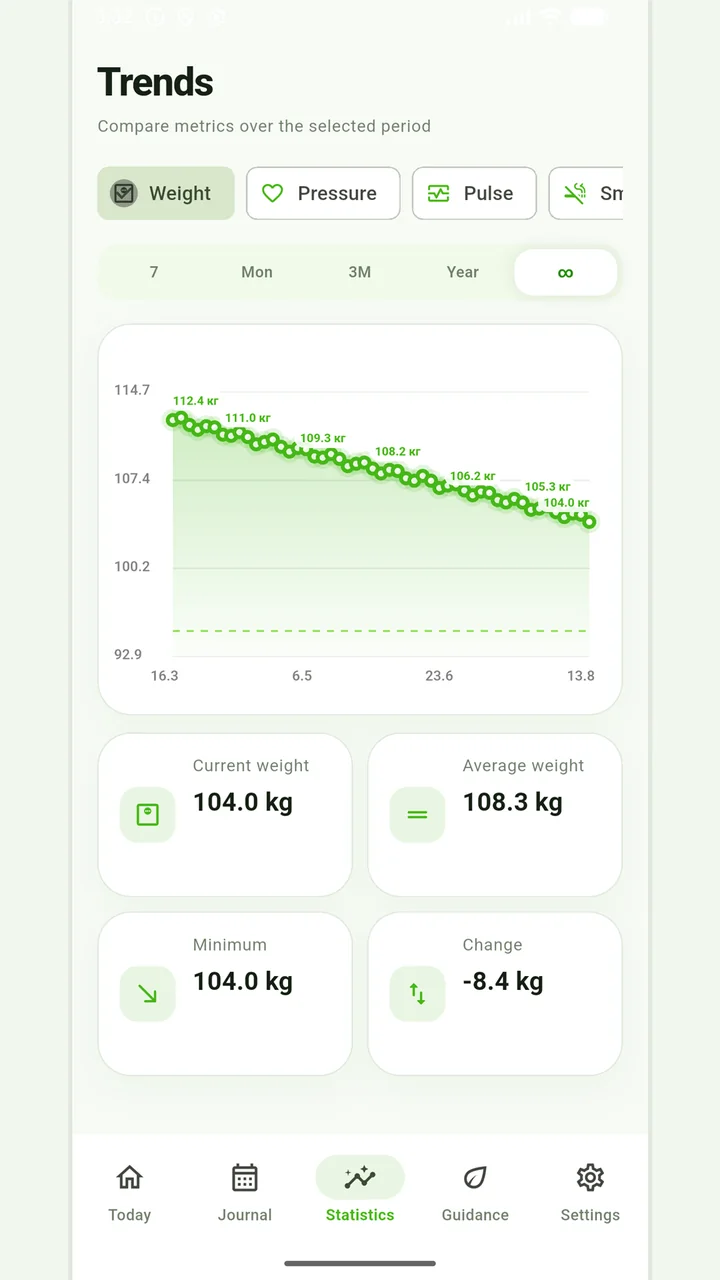
Weight trends
Charts, a target and period comparisons without judging progress by one number.
Don't use weight changes as the only way to assess your health. Unexplained rapid weight changes, severe swelling, weakness or other worrying symptoms should be discussed with your doctor.
Medical disclaimer