
Use the actual start time or a stable rule and do not adjust the history to suit the desired mode.
A worked example
Worked example, using fictional times. Breakfast was at 07:40 and lunch at 13:10, but both are entered at 21:00. Leaving the supplied evening timestamp would create two apparently simultaneous meals. Correcting the times shows a gap of five hours and thirty minutes. That is an arithmetic description, not an assessment of whether the interval is appropriate for this person. If breakfast time is approximate, the gap is approximate too. It can describe a routine without establishing an ideal eating time for everyone.
What to do
- 01
Record the time immediately.
- 02
Note shifts and trips if they move the day.
- 03
Compare weekdays with weekdays, weekends with weekends.
- 04
Formulate observations without universal norms.
Common mistakes
- Round all entries to a nice schedule.
- Consider one late intake as the cause of weight change.
- Ignore nighttime episodes out of embarrassment.
Distinguish eating time from recording time
Choose a consistent convention, such as the start of a meal. Alternating between start and finish makes comparisons reflect the entry method as well as the routine. A long meal can have a time range in its description. During a night shift, check the date after midnight: selecting “Dinner” does not set it. When travelling, label local time and any time-zone change if comparing days. Do not reconstruct exact minutes from memory simply to create a tidy schedule. An explicit uncertainty makes the limits of later comparisons understandable.
How to check the result
- The timestamp refers to eating rather than opening the form.
- The same start-or-finish convention is used.
- Dates are checked after midnight.
- Approximate times have explanatory notes.
When time zones change, combine this rule with a short travel food diary instead of reshaping the history to match your home routine.
How this works in Vesometr
Food entries include date and time; check them when recording retrospectively. The app does not automatically analyse meal intervals or produce a meal-timing chart.
Sources and fact checking
App features were checked against Vesometr 1.2.2. External sources explain general guidance, rather than validating individual medical conclusions.
- Vesometr 1.2.2: official APK — Identifies the release; food-entry fields were also checked against its source code.
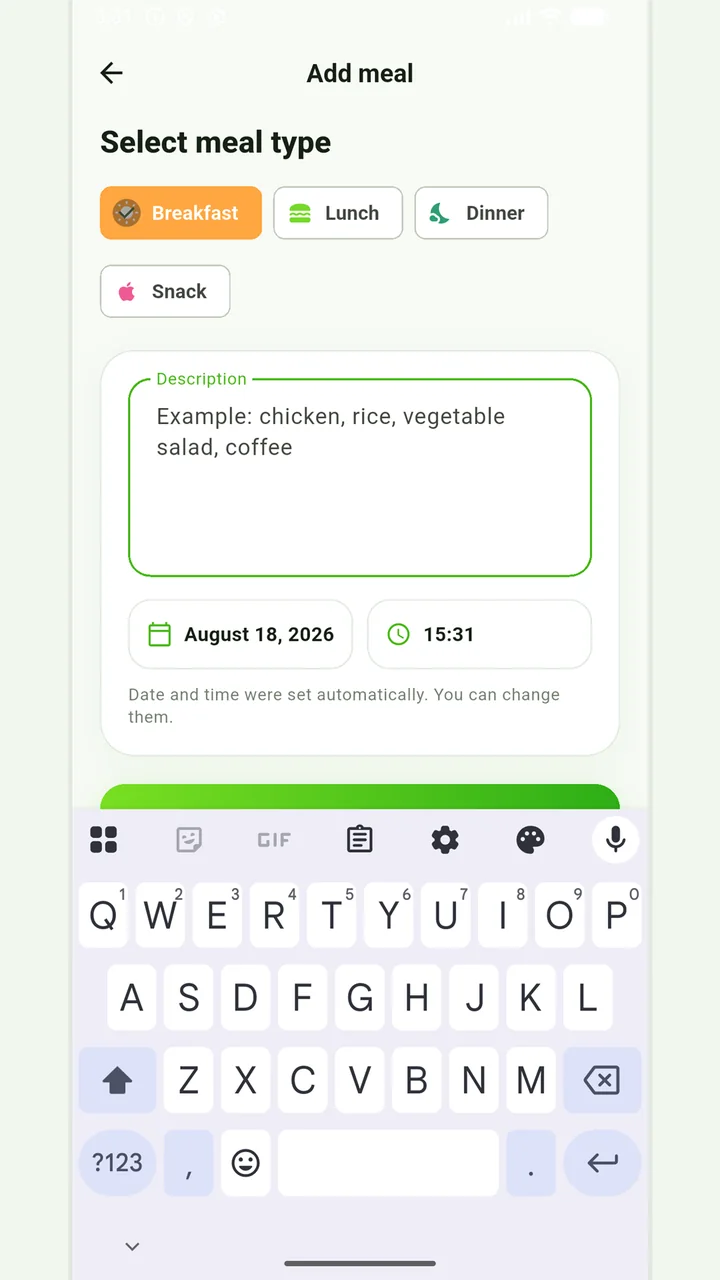
Simple meal journal
Breakfast, lunch, dinner or snack with a description, date and time.
In case of eating disorders, severe dietary restrictions, allergic reactions or a therapeutic diet, it is better to coordinate the observation plan with a specialist.
Medical disclaimer