
Add metrics in stages and decide in advance what question each section should address.
A worked example
Worked example: a user records weight, then adds blood pressure and meal notes to avoid searching several apps. The calendar shows the sequence, but sharing a date is not treated as proof that a food caused a particular reading. The medicine cabinet is updated separately from current instructions. Before a consultation, they notice that the PDF does not show all those sections, so medications and meals are prepared separately. A new entry type is added only for a clear purpose, without copying values between sections to make the journal look complete.
What to do
- 01
Start with one measurable indicator.
- 02
After a week, add a second one if the first one is stable.
- 03
Adjust medications separately by prescription.
- 04
Use Weekly Review to remove unnecessary fields from your habit.
Common mistakes
- Collect data without purpose.
- Consider the coincidence of indicators as a proven connection.
- Transfer the full log when only one section is needed.
A shared timeline is not a shared medical conclusion
Sections have different sources: an instrument reading, a food description, a personal impression or a medication card's text. Preserve these distinctions when comparing or sharing information. Wellbeing attached to blood pressure differs from a mood diary; a medication reminder differs from a dose actually taken. The version 1.2.2 PDF is centred on blood pressure and does not export the entire calendar, while JSON restores supported data. First identify a question for each entry type and a way to verify it. This avoids unnecessary completion and the mistaken expectation that every section automatically appears in one document.
How to check the result
- Each entry type has a clear purpose.
- Events on one date are not declared causes of one another.
- Medication cards are not confused with doses taken.
- PDF contents are checked before sharing.
For the distinction between formats, see what JSON and PDF contain.
How this works in Vesometr
Vesometr combines multiple types of data into one calendar while still allowing selective day-to-day completion.
Sources and fact checking
App features were checked against Vesometr 1.2.2. External sources explain general guidance, rather than validating individual medical conclusions.
- Vesometr: official release — Application version and official download channel.
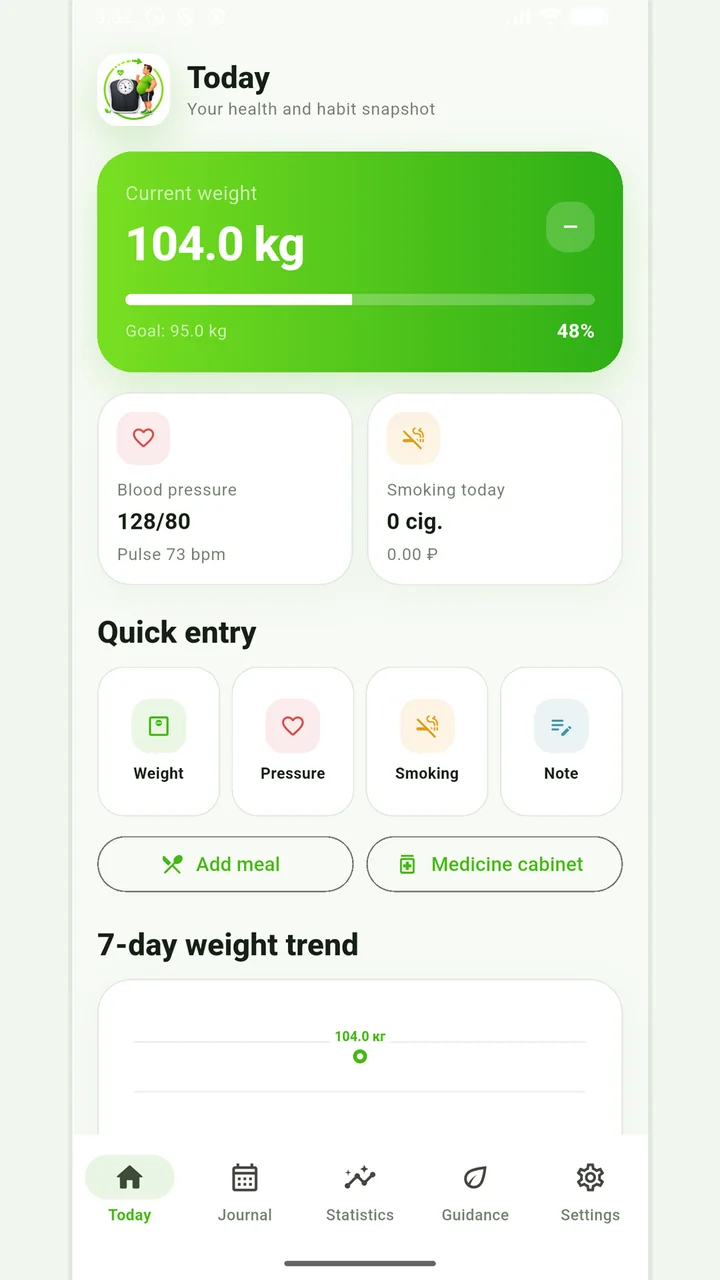
Vesometr 1.2.2
The main application tools and the current Android build.
The app organizes entries and reminders, but cannot verify a treatment plan or replace professional advice.
Medical disclaimer