
Please check the date and context before deleting; When in doubt, an error note is sometimes more useful than a missing dot.
A worked example
Worked example: a user enters the wrong month and notices a chart point far from the other observations. They open the entry, confirm the original date and change only that field, keeping the genuine value. Another unusual reading has no evidence of an input error, so they retain it instead of smoothing the chart. After editing they return to the calendar and appropriate statistics period. If a PDF already exists, they generate a new document and mark the old one as outdated to avoid sending contradictory versions.
What to do
- 01
Open the entry via calendar.
- 02
Check the value against a reliable source; if it cannot be confirmed, record the uncertainty.
- 03
Correct a specific field or delete the entry deliberately.
- 04
Check the updated chart for the relevant metric.
Common mistakes
- Remove an outlier only because it is unpleasant.
- Edit old value without reason.
- Confuse deleting a record with completely deleting data.
A correction needs a verifiable reason
Before changing anything, confirm the event type, date and time. An accidental duplicate can be removed after checking; a genuine repeat measurement should remain. If the original value is unavailable, do not substitute a plausible neighbouring value: explain the uncertainty instead. Editing one entry is different from restoring a backup and should not involve replacing the whole journal. Save the current state as JSON before extensive corrections. Check the result in the calendar and statistics, then regenerate related documents; previously saved PDFs remain independent snapshots of earlier entries.
How to check the result
- The individual entry is selected rather than full deletion.
- The reason for the correction is confirmed.
- The calendar and chart show the corrected fact.
- Any affected PDF is replaced with a newly generated version.
Before extensive changes, save a journal backup.
How this works in Vesometr
Vesometr supports individual entry changes. Clearing the database and restoring JSON are separate operations, unnecessary for correcting one value.
Sources and fact checking
App features were checked against Vesometr 1.2.2. External sources explain general guidance, rather than validating individual medical conclusions.
- Vesometr: official release — Application version and official download channel.
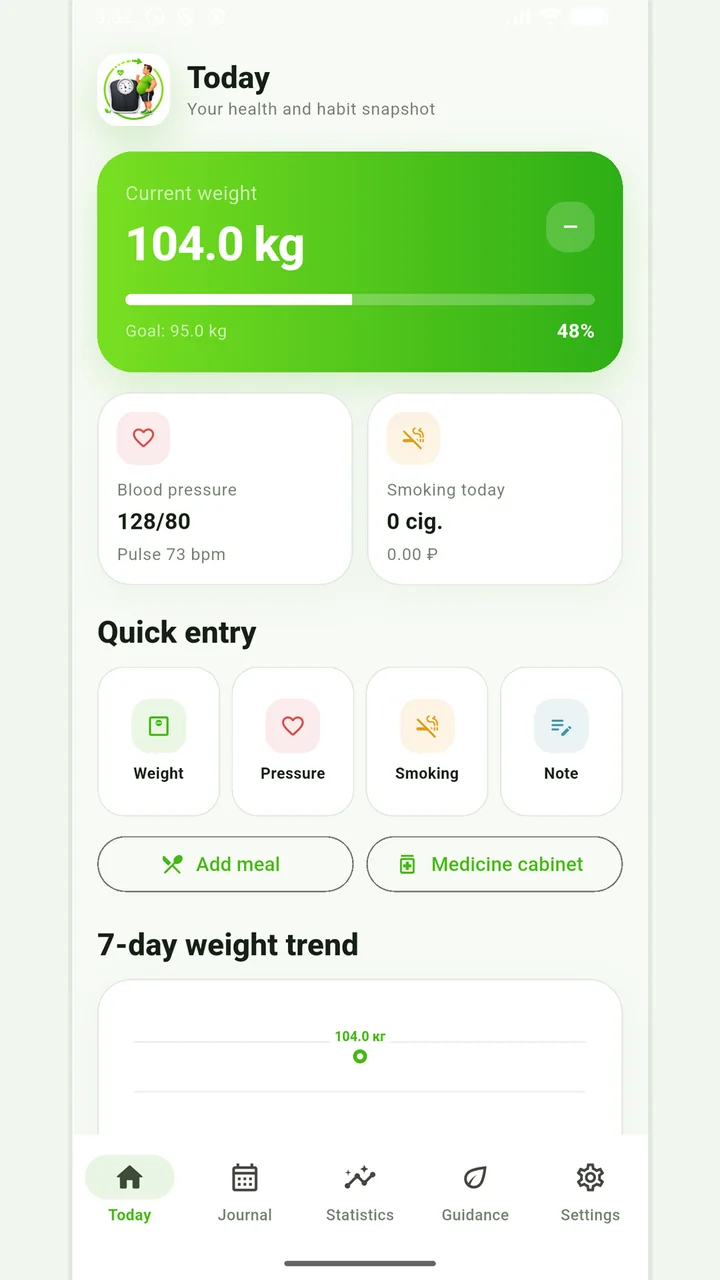
Vesometr 1.2.2
The main application tools and the current Android build.
The app organizes entries and reminders, but cannot verify a treatment plan or replace professional advice.
Medical disclaimer