
Use it to check for gaps and events without filling empty days with artificial values.
A worked example
Worked example: a user notices a gap on a chart and opens that week in the calendar. They find a blood-pressure entry on Monday and a diary note on Wednesday, but no measurement on Tuesday. They do not add a zero blood-pressure value to fill the gap. For Wednesday, they check that the note belongs to the diary rather than a blood-pressure entry. For a consultation they explain the missing day and compare the PDF with genuine readings. The calendar locates data rather than proving daily monitoring.
What to do
- 01
Select the intended month and date.
- 02
Open the specific entry type and check its time.
- 03
Distinguish a missing measurement from a note in another section.
- 04
Correct only a confirmed error in the individual entry.
Common mistakes
- Recover numbers from approximate memory.
- Consider an empty day as proof of good health.
- Delete the date for the sake of a smooth schedule.
Distinguish a missing day from another entry type
The calendar helps locate original events by date and distinguish a missing measurement from information in another section. A note does not establish that blood pressure was measured that day; a medication card does not prove a dose was taken. First identify the entry type and time before deciding whether a correction is needed. If a fact cannot be confirmed, retain the gap and explain the limitation outside a numerical field. Open the individual entry for corrections. Clearing the entire journal is a different operation and is unnecessary for correcting one mistaken point.

How to check the result
- The entry type is identified before comparing values.
- A gap is not replaced with zero.
- Changes refer to the intended date.
- An individual entry is not confused with the whole journal.
Correct a confirmed mistake using entry editing.
How this works in Vesometr
The calendar locates entries of different types by date. A medication card is not daily confirmation that a dose was taken.
Sources and fact checking
App features were checked against Vesometr 1.2.2. External sources explain general guidance, rather than validating individual medical conclusions.
- Vesometr: official release — Application version and official download channel.
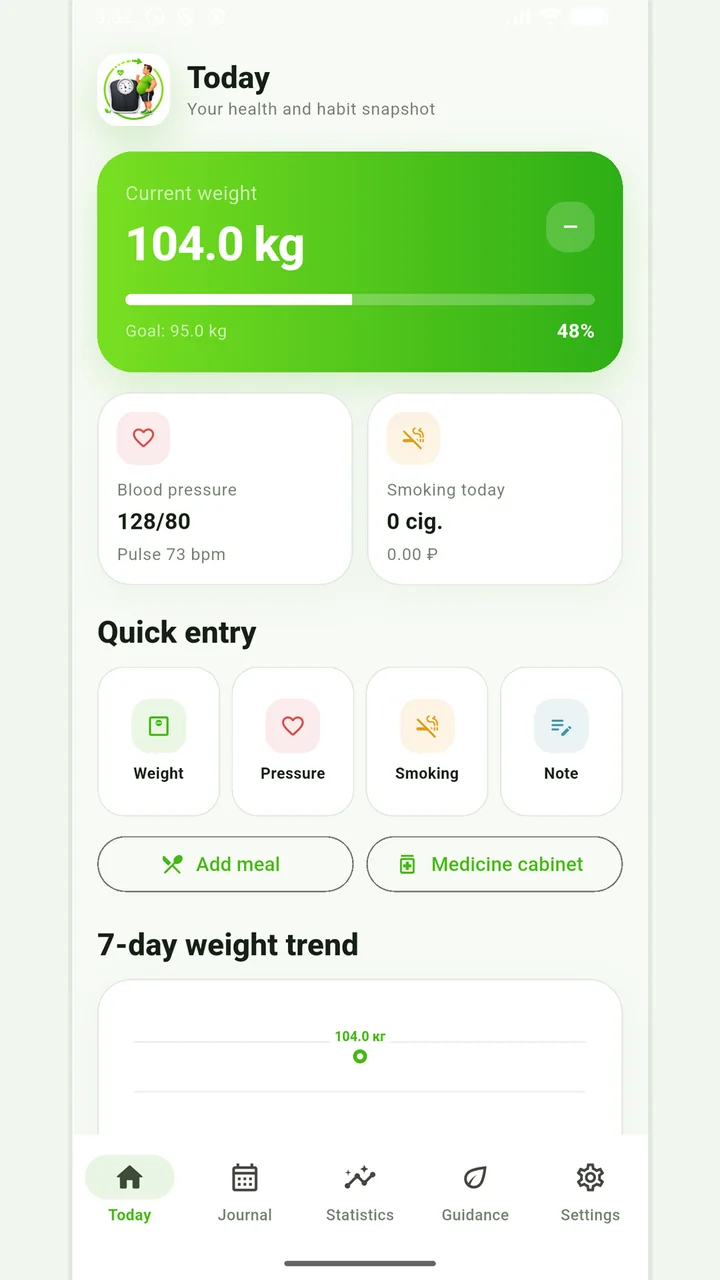
Vesometr 1.2.2
The main application tools and the current Android build.
The app organizes entries and reminders, but cannot verify a treatment plan or replace professional advice.
Medical disclaimer