
Two minutes is a guideline for simplicity, not a standard; fill out only those sections for which there is actual data.
A worked example
Worked example: a user saves an actual weight reading in the morning and adds a brief diary entry in the evening. They do not enter blood pressure without measuring it; a mood emoji from the five options is not treated as a health assessment. They check the event date when entering later. On a chosen review day, they inspect the calendar and save JSON. Busy days contain only necessary observations, without filling gaps with guesses. “Two minutes” describes a compact routine rather than a timing guarantee or medical schedule.
What to do
- 01
Open today after the usual signal.
- 02
Enter one or more selected metrics.
- 03
Add a short note only if the conditions vary in an important way.
- 04
Review your schedule and calendar once a week.
Common mistakes
- Open the application repeatedly without purpose.
- Fill empty fields with zeros.
- Try to analyze every point immediately.
A habit should preserve accuracy rather than completeness
Choose a practical trigger for opening the app and the smallest set of facts that serves your purpose. More completed sections do not establish a better journal: a reliable short entry is more useful than a screen full of assumptions. After a missed day, do not reconstruct numerical measurements from a general impression; explaining a gap is different from measuring. Review source entries when needed and correct confirmed errors. Maintain backups separately because daily app use does not save a file away from the phone. Reminders prompt an action but do not prove it happened or that medicine was taken.
How to check the result
- A small factual set of entries is chosen.
- Gaps are not filled with assumptions.
- Late entries have the correct date.
- A backup is created as a separate action.
For reliable recovery copies, choose a backup frequency.
How this works in Vesometr
Vesometr's single screen reduces switching between individual trackers and stores data in a common local history.
Sources and fact checking
App features were checked against Vesometr 1.2.2. External sources explain general guidance, rather than validating individual medical conclusions.
- Vesometr: official release — Application version and official download channel.
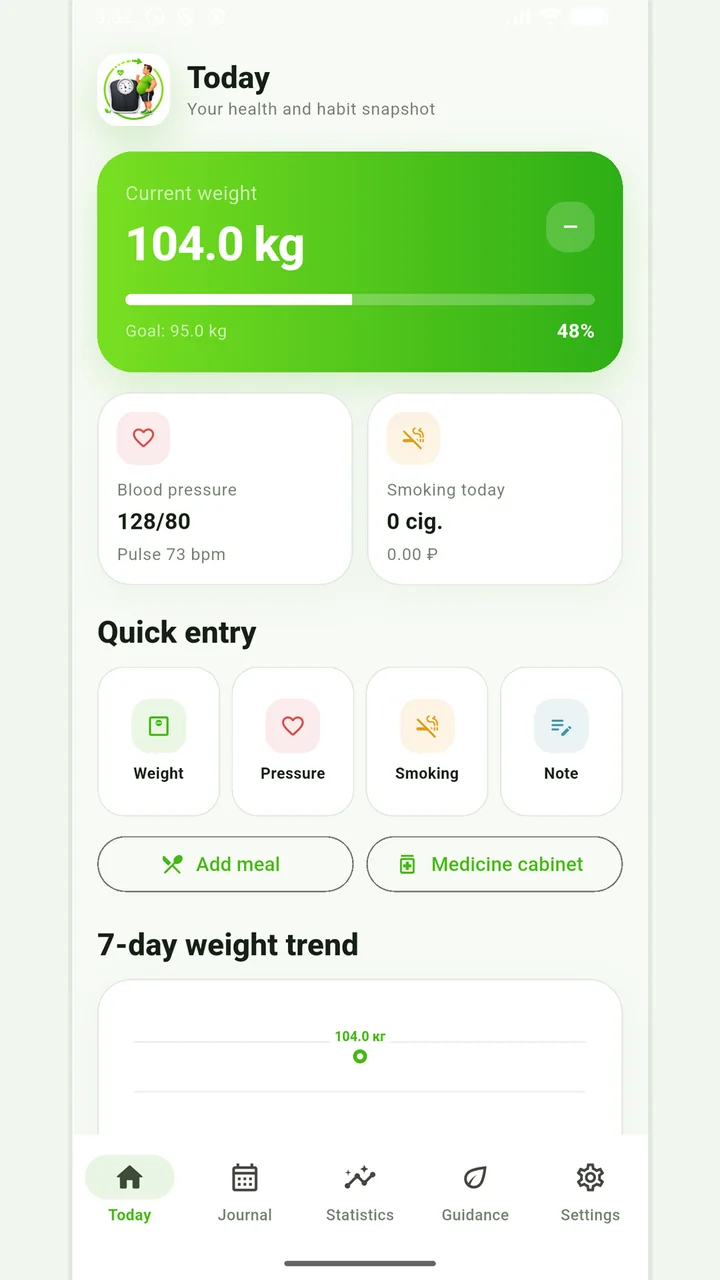
Vesometr 1.2.2
The main application tools and the current Android build.
The app organizes entries and reminders, but cannot verify a treatment plan or replace professional advice.
Medical disclaimer