
Don't include all the sections and reminders at once: create a short daily script first.
A worked example
Worked example: a new user wants to complete every section immediately but has only one actual measurement. They choose a comfortable language, explore settings and save only the genuine observation with its correct date. They do not enter random numbers just to populate a chart. They add patient details deliberately, remembering that these may appear in a PDF. After checking the first entry, they configure access and create a backup. Other sections are added when useful, rather than treating every blank field as a daily obligation.
What to do
- 01
Choose a comfortable language and explore settings.
- 02
Enter only needed patient details and a deliberate weight reference if required.
- 03
Save a real observation and check its calendar date.
- 04
Configure access and create JSON when there is data worth preserving.
Common mistakes
- Fill with test data without subsequent deletion.
- Create dozens of reminders.
- Expect automatic import from the cloud.
Start with a verifiable entry
Initial setup should establish the route from entering information to checking the saved result. Review the date, unit and value in the calendar before adding recurring tasks. A weight target is a user-entered reference rather than a medical norm calculated by the app. Patient details supply report information and do not create a cloud account. Avoid invented personal details or measurements unless you intend to remove them from the history later. You can explore screens without adding test data; create an entry when there is a real fact you actually want to keep.

How to check the result
- The selected language is understandable.
- The first entry contains a real observation.
- The date and value are checked in the calendar.
- Patient details and access settings are chosen deliberately.
The next small step is learning the Today screen.
How this works in Vesometr
Vesometr requires no registration. Patient and target settings are used locally; exploring the app does not require invented measurements.
Sources and fact checking
App features were checked against Vesometr 1.2.2. External sources explain general guidance, rather than validating individual medical conclusions.
- Vesometr: official release — Application version and official download channel.
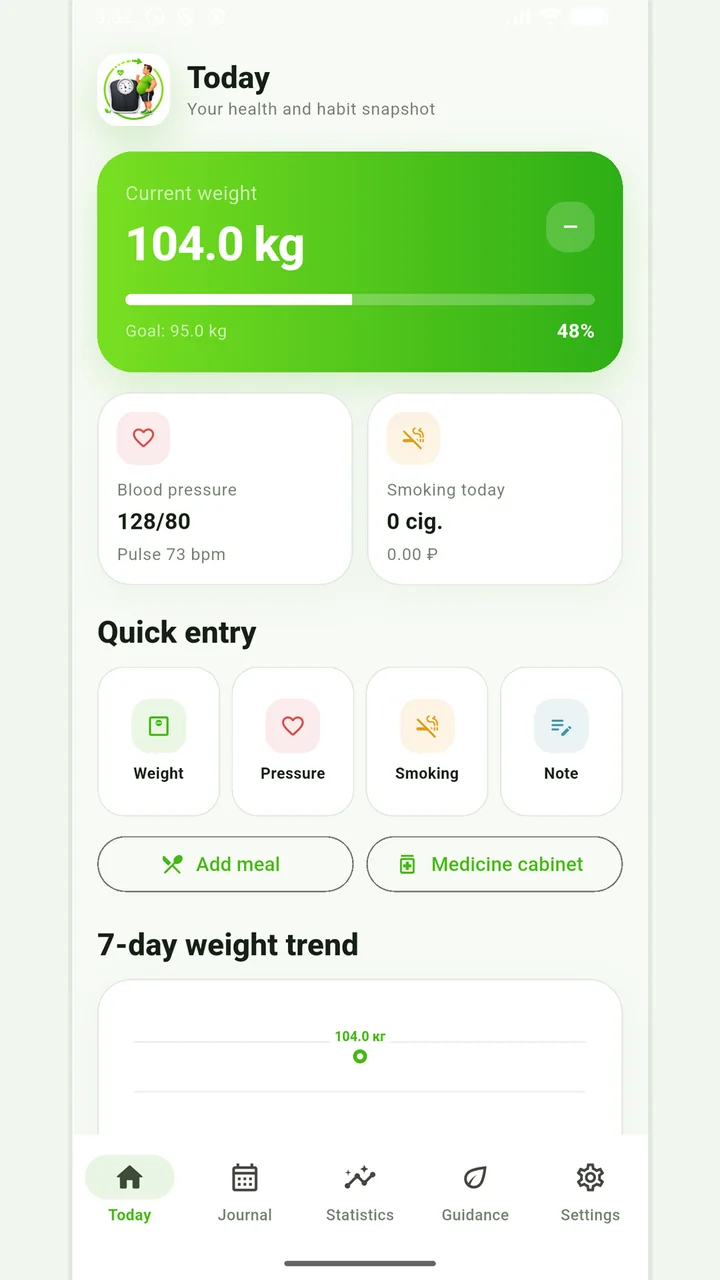
Vesometr 1.2.2
The main application tools and the current Android build.
The app organizes entries and reminders, but cannot verify a treatment plan or replace professional advice.
Medical disclaimer