
Select the fields that are relevant to your task and leave the rest blank instead of fictitious zeros.
A worked example
Worked example: a user opens Today in the evening but wants to enter a measurement taken the previous morning. They do not automatically save it under today's date: they check the entry time and then find it in the calendar. Meals, weight and blood pressure are added only when supported by actual facts. For mood they choose one of five emoji and add an explanation if needed. This is a personal note rather than a medical assessment. Unused sections stay empty instead of copying yesterday's values to fill the screen.
What to do
- 01
Open the current date.
- 02
Enter only the actual measured or observed data.
- 03
Add short context for unusual conditions.
- 04
Save and check the calendar entry.
Common mistakes
- Treat an empty field as a zero value.
- Fill in from memory after many days.
- Use the screen as a medical questionnaire.
An overview does not replace each event's date
Today provides access to everyday actions, but an entry's meaning still depends on its type, date and contents. When adding information later, check when it actually happened. Wellbeing recorded with blood pressure differs from a free-form diary entry: the PDF uses the former and does not export the latter. Put a comment about a particular reading in that reading's form rather than expecting automatic combination. After entering information, return to the selected day and inspect the result. An empty field does not mean a measured zero or prove that an event did not happen.

How to check the result
- The event date is checked when entering it later.
- There are no invented zeroes or copied values.
- The comment is saved with the appropriate entry type.
- The entry is found in the calendar.
To check a particular date, use the entry calendar.
How this works in Vesometr
Today provides everyday actions for different entry types. Check the date when entering later; free-form diary entries include one of five mood choices.
Sources and fact checking
App features were checked against Vesometr 1.2.2. External sources explain general guidance, rather than validating individual medical conclusions.
- Vesometr: official release — Application version and official download channel.
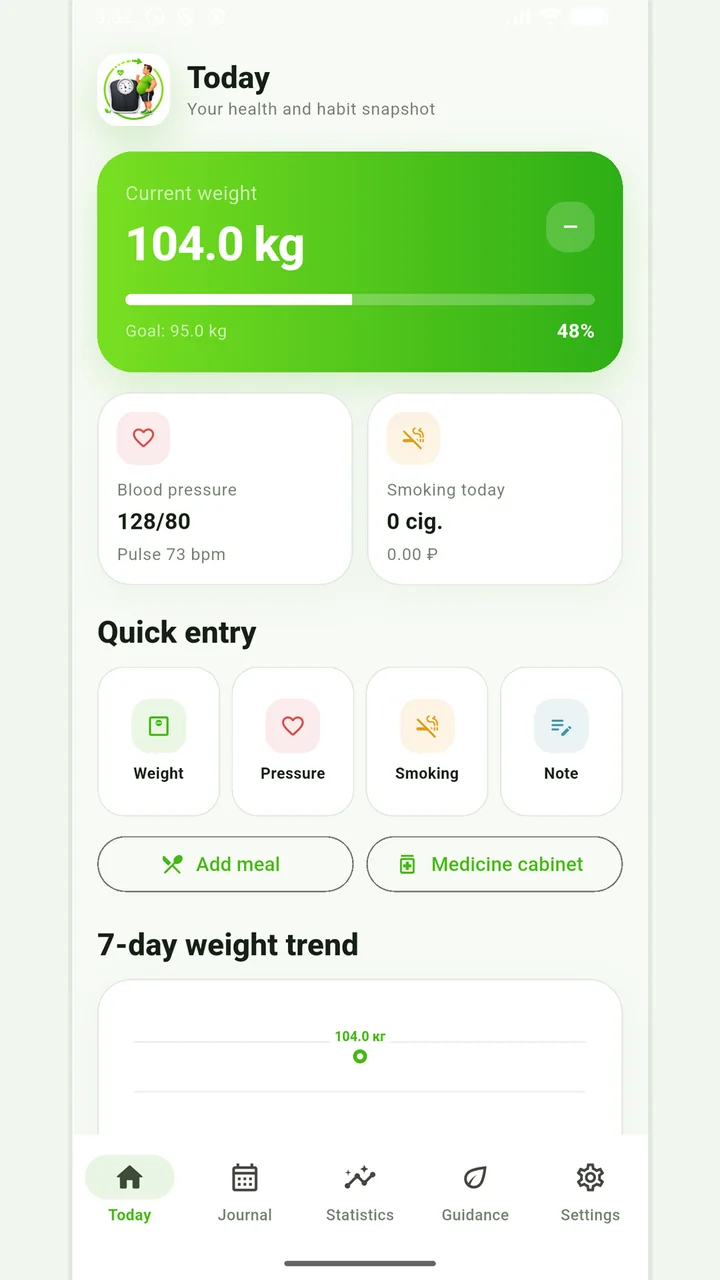
Vesometr 1.2.2
The main application tools and the current Android build.
The app organizes entries and reminders, but cannot verify a treatment plan or replace professional advice.
Medical disclaimer